

When you scroll down the window, you’ll see a place to enter your text.
Notice that over on the right side, you see your ad as you create it, and it contains the original page description you entered when you set up the page.
For purposes of your first promotion, you’ll want to write something that will make visitors want to come to your page – in other words, a short advertisement to create curiosity and interest.
It’s your ad’s call to action.
Facebook limits you to 90 characters (including spaces and punctuation), so make every word count. Give your visitors a reason – a benefit to them – of visiting your page.
All you need to do is enter your preferred text in the Text box.
 Facebook not only considers asking directly for a “Like” as “like baiting,” they are now penalizing advertisers who do it. To protect yourself, just state what the page is about, who you serve, what kinds of products you offer, and the value you provide. But DO NOT ask directly for “Likes.”
We’re assuming our Test Entrepeneur Page is going to target people who want to run home-based businesses online. Those people are (like you) ALWAYS looking for new sources of leads and prospects. So let’s write a call to action for our Page.
Like this:
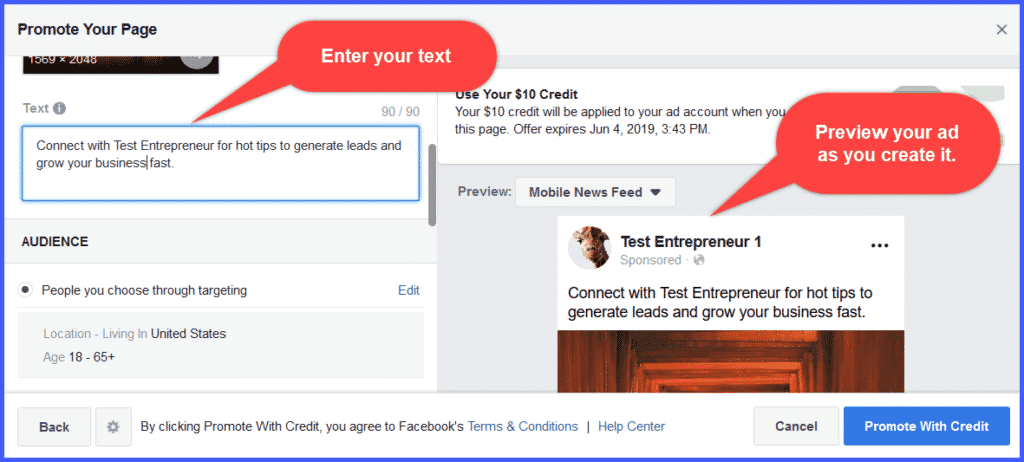
When you’ve entered the text you’d like, your ad will be displayed with your cover image over on the right side of the window.
Now that we’ve designed our ad, we get to decide who’s going to see it.