

From your Facebook Page, it’s easy to launch your first Promotion.
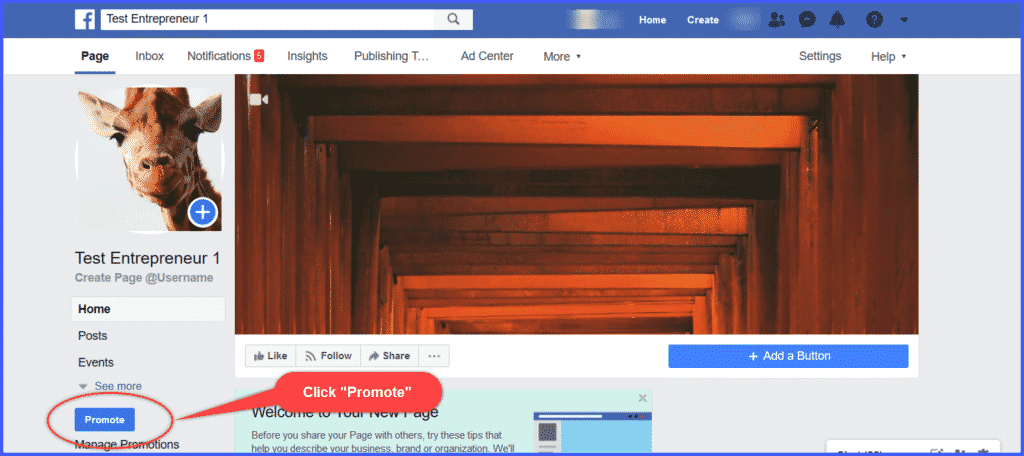
Just click “Promote” on the left side of your page. A new window will open:
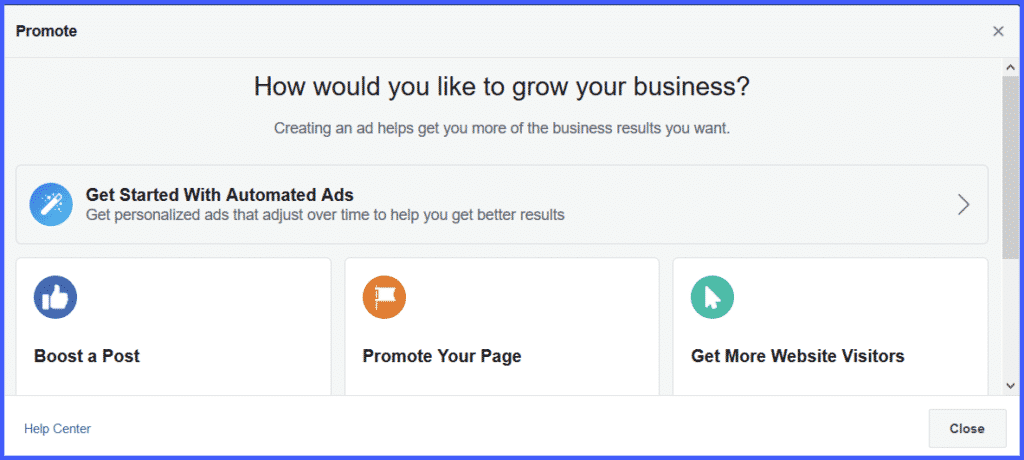
You’ll see several options:
- Boost a Post
- Promote Your Page
- Get More Website Visitors
- Get More Leads
Since we’re just starting out, and don’t have many posts to boost, let’s choose Promote Your Page.
Go ahead and click on that option. It will pop up this window:
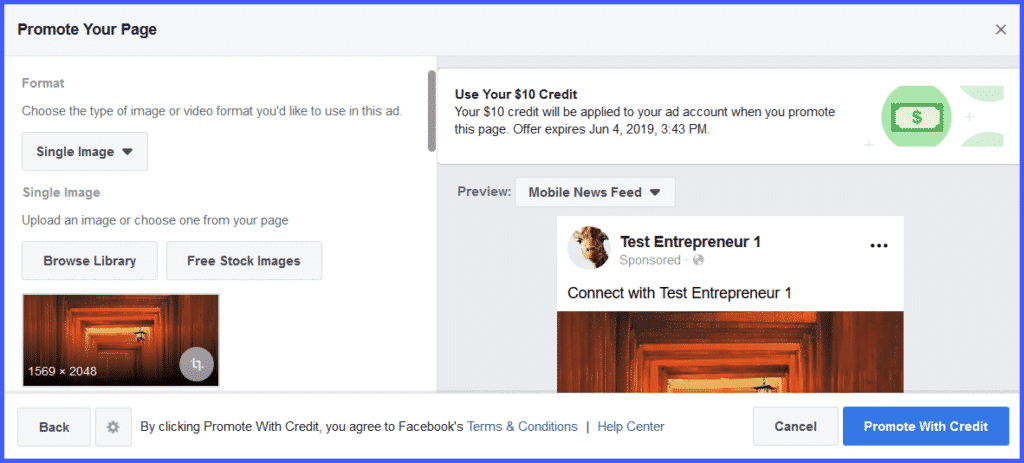
This window will walk you through designing your ad, defining your audience, setting your budget, determining the length of your promotion, and choosing a method of payment.
First, let’s get creative.