

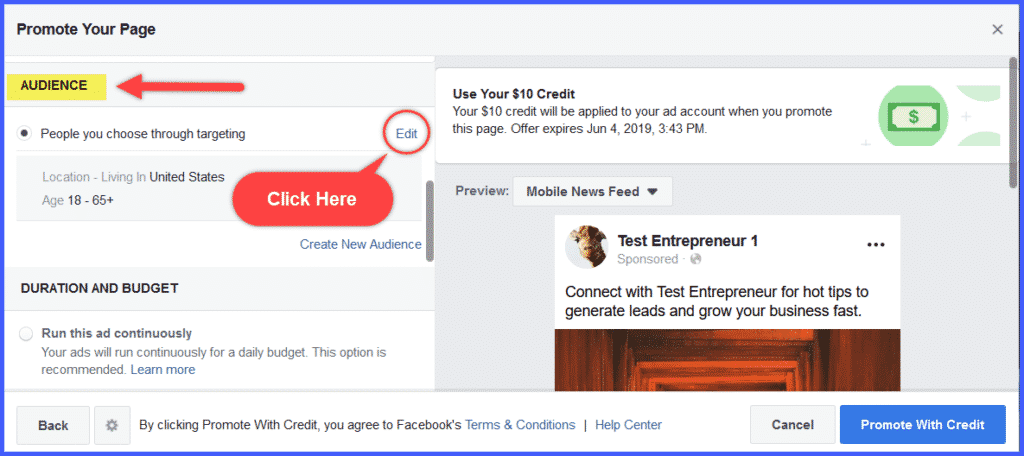
Scroll down the window, and you’ll see the section labeled Audience.
The default is shown as Location: Living in United States, and Age: 18-65+.
Click “Edit.”
You’ll see a scrolling window with choices for age, gender, geographic location, and characteristics to include, as well as people to exclude. Once you’ve edited each of these criteria, you’ll see the total potential reach of your ad.
Let’s go through these choices one at a time:
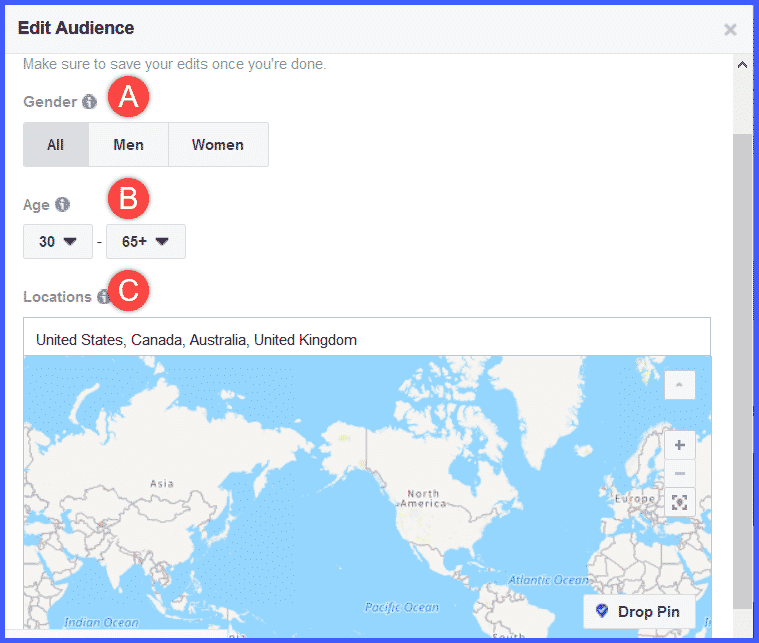
- GENDER
Since entrepreneurs and network marketers come in all genders, let’s just leave our choice at “ALL.”
You can, of course, target just women or just men, if your brand, company, or product is specifically aimed at either men or women.
- AGE
Research shows that most people with entrepreneurial interests are between 30 and 40 years old. Facebook sets the default at 18, so go ahead and change it to 30.
- LOCATIONS
You can filter your audience by country. For purposes of this launch, we’re going to target the major English-speaking countries of the United States, Canada, Australia, and United Kingdom.
Depending on where you live, and the languages your target audience speaks, you can target any country on the globe.
- INCLUDE (Interests, Demographics, Behaviors)
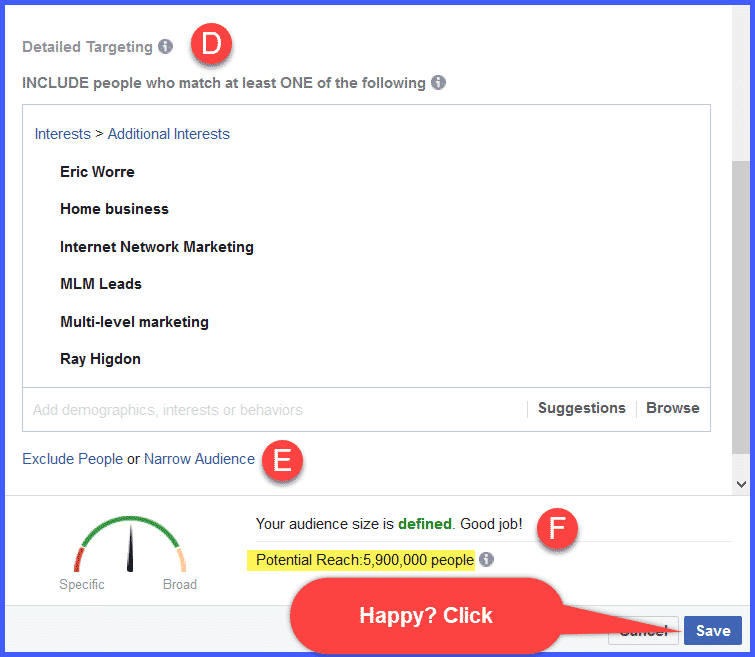
You can filter your audience by demographics, interests, and behaviors. You’ll definitely want to explore this area to find people interested in not only network marketing, but also specific companies and products.
For purposes of this Launch, we’ve chosen the following:
- EXCLUDE
When you want to run more promotions for your Page, you’ll want to exclude people who’ve previously liked your Page. All you’ll need to do is enter your page name in the box and they won’t see any future likes campaigns you run.
- POTENTIAL REACH
Given the audience we’ve defined by age, location, and interests, our total reach is defined at the bottom of the page as 5,900,000 people!
While it may seem like a good idea to reach as large an audience as possible, don’t target people who obviously wouldn’t be interested in your product or service. Aim your Likes campaign audience so it reaches only those people who might reasonably be expected to Like your Page. Otherwise, it’s spam.
Once you’re happy with your defined audience, go ahead and click “Save.”
Now the happy part: the budget!