

When you are ready to define your budget, you’ll have a few decisions to make.
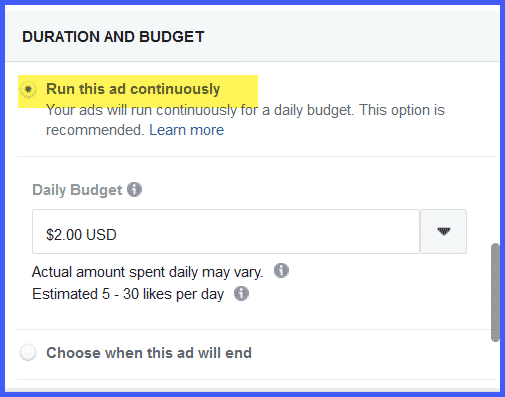
- Define how long to run your campaign.
You can choose to run the campaign continuously, and stop it whenever you choose.
OR
You can choose when your promotion will end.
We recommend running it continuously when you’re just starting, so you can evaluate the rate of likes you are getting every day and make any changes you might want.
For purposes of this launch, we’ll just leave it where it is – choosing when our promotion will end.
- Define a Daily Budget
Facebook sets a minimum budget of $2.00 per day, and based on our defined audience, predicts we’ll get between 2 and 12 likes every day.
If we were to increase our budget to $5.00 per day, Facebook estimates we will get between 5 and 30 likes per day.
And $10.00 per day will get us between 10 and 54 likes per day.
You can see that spending more per day improves your results. But don’t bet the farm when you’re first starting out. Choose an amount that you’re comfortable with. We recommend a minimum buy of $5.00 per day.
- Define a Duration
If you’ve chosen to define when your campaign ends, Facebook will ask you to choose 7, 14, or 28 days, or enter whatever end date you choose.
If you’ve chosen to run your ad continuously, there’s a place to enter your end date if you want.
- Summary of Your Costs
At the bottom of the budget window is a summary about the total you’ll spend, and the length and end date of your campaign.
All you have to do now is choose how you’re going to pay for your campaign.