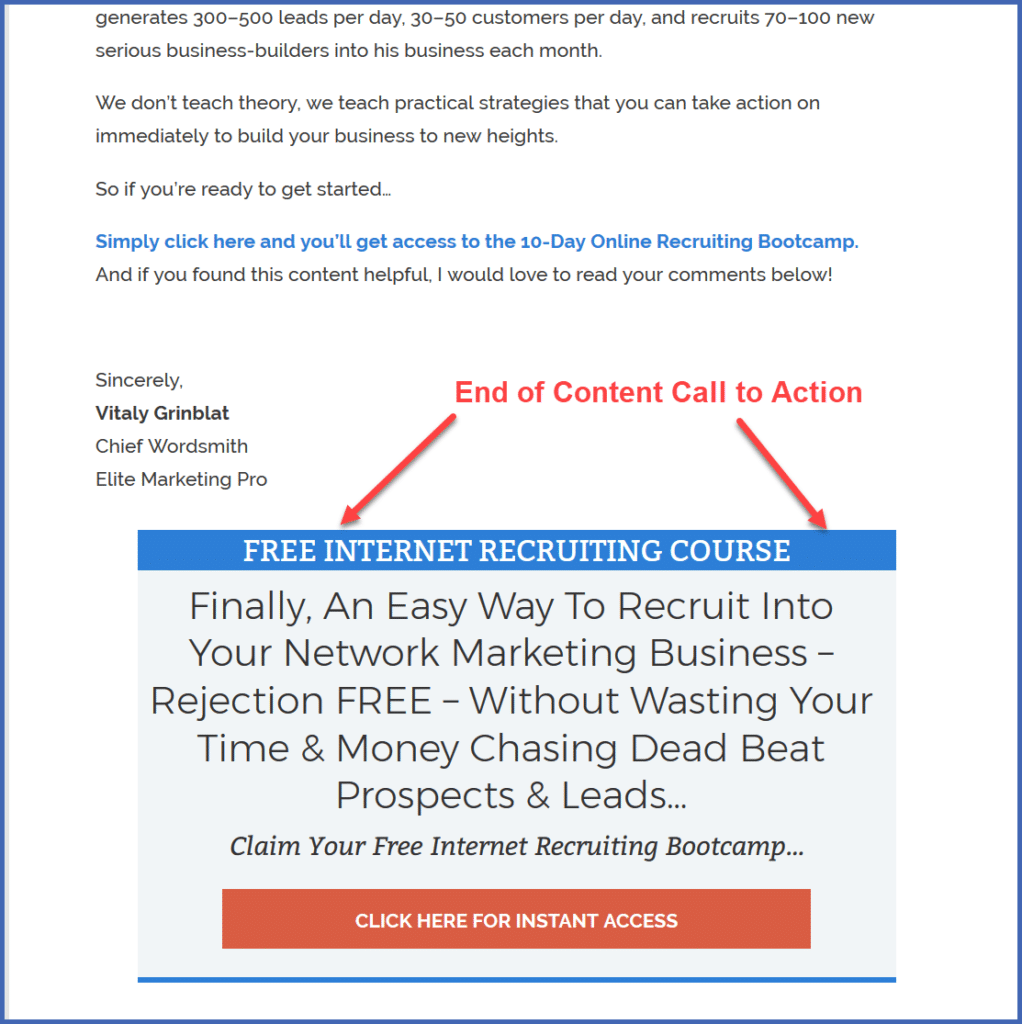
Each piece of content you post on your landing page, whether it’s a blog post, a podcast, a video, or an infographic, must end with a call to take a specific action.
The Call to Action is the whole point of your Landing Page.
It’s where you’re going to direct your website visitors to take specific action.
Notice – I said “direct,” not ask, plead, suggest, or hope.
In other words, you’re going to tell them — clearly and directly — exactly what you want them to do.
Because if you don’t tell them just what to do, they just won’t do it!
Let’s look at two possible calls to action: a primary and a secondary.
Primary Call to Action: Purchase Something
Your landing page is typically where you offer a low priced product – some kind of lead magnet — but occasionally it might make sense to link to a higher priced product.
If you want your visitors to buy something, don’t be shy. Tell them.
Example:
Sign up right here to take your next step and make this your best year yet!
You can get started for just $7.00
Secondary Call to Action: Create Engagement
Ask your visitors to leave a comment or to like and share your content with others.
That’s going to do two things for you:
- Help you generate free traffic, because when people come to your site from Facebook, anything they like, share, or comment on will be seen by their friends.
- Create a sense of community and social proof that adds credibility and authority to your site.
Example:
Like this post? I’d love to hear about it. Be sure and leave a comment below!
Where to Place your Call to Action
There are four places you’ll want to place your Call to Action (CTA), as you can see illustrated in this graphic:
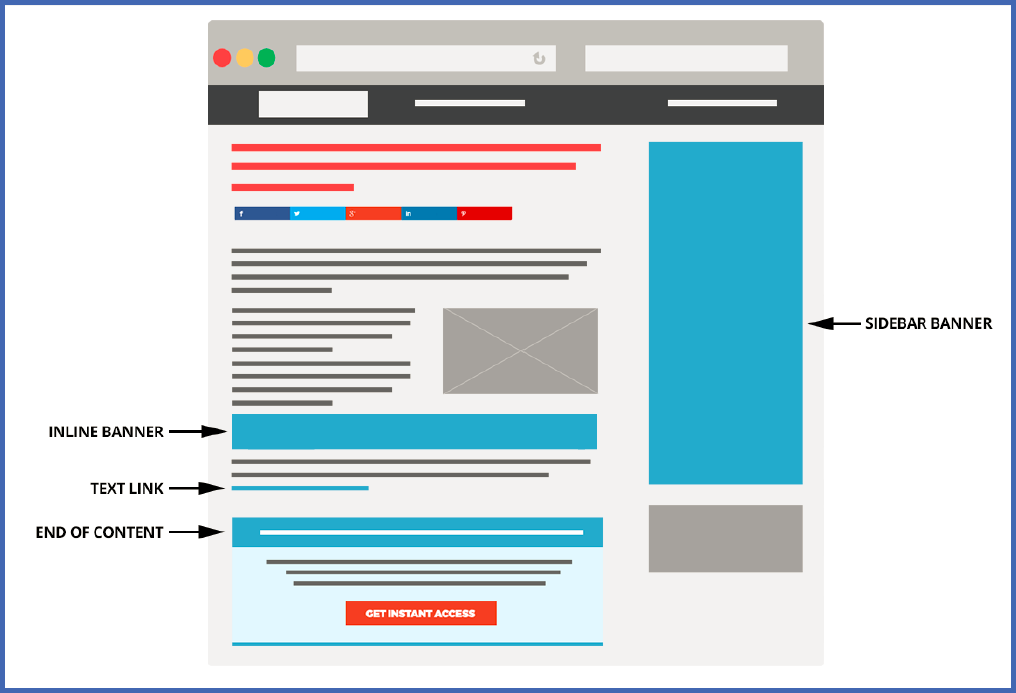
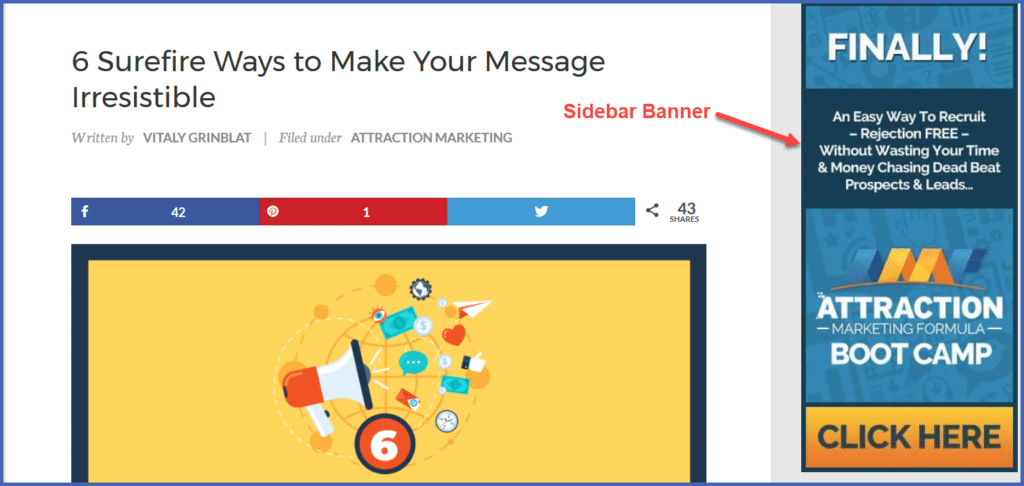
- Sidebar CTA
The sidebar CTA will display as a banner in the left sidebar of your landing page.
You can set the ad to display based on the category of your content, which you’ll learn how to do later.
That means, for example, that you can show a different CTA when you write about traffic than when you write about leadership or team building.
(We at EMP feature this tool on our platform, and it’s fantastic to use!)
Example:
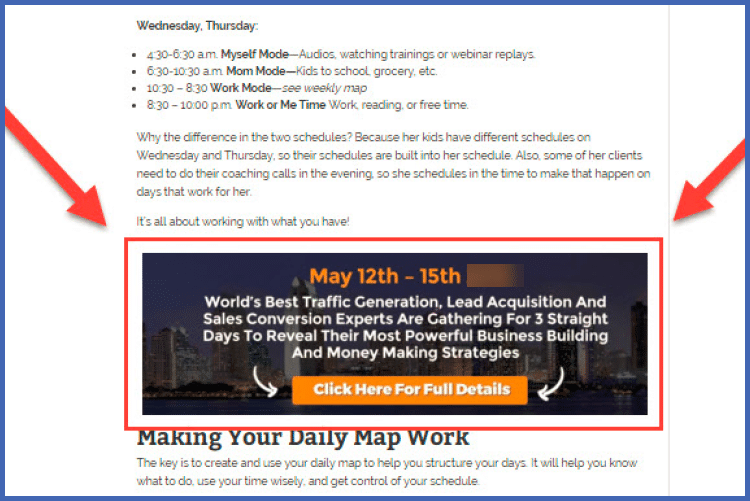
- Inline CTA
You can use this optional CTA like a traditional advertisement.
Somewhere In the middle of your content, you include an image with a call to action, making it clear that it’s an advertisement.
We don’t use inline CTAs much now, but we’re planning to test them more in the future.
Example:
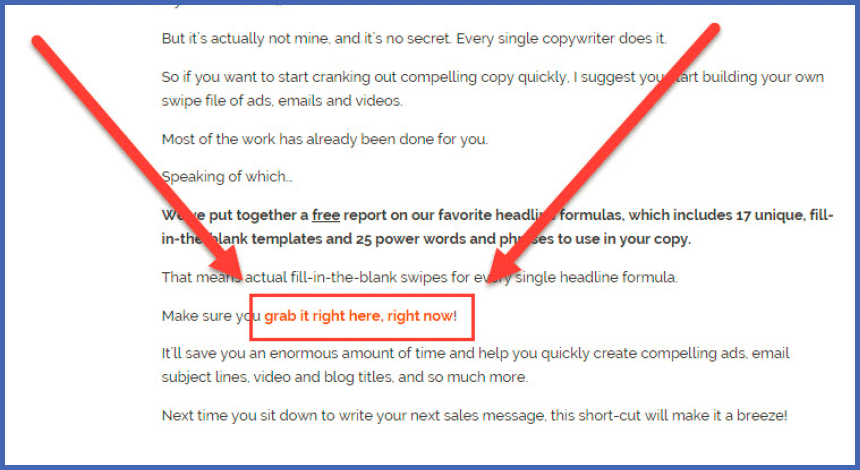
- Text Link CTA
In a text link CTA, you just place links to your offer anywhere in the copy that makes sense.
Example:
- End Of Content CTA
This might be your most important CTA. As with the sidebar cta, you can set certain ads to display for particular topics or categories, or if you want to, you can assign ads manually.
Example: