

Once you’ve clicked “Save,” you’ll return to this window, where you’ll define your budget:
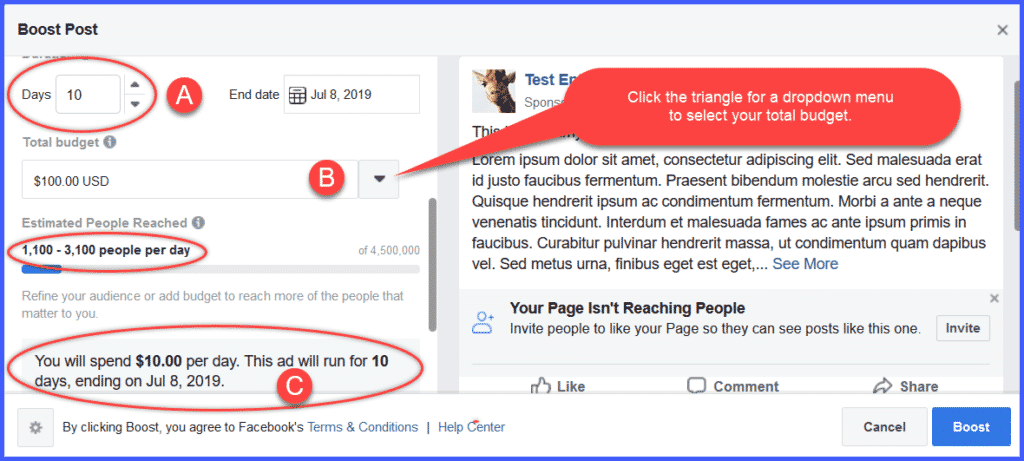
Here is where you’ll determine your daily spending limit. We recommend not less than $10 per day for best results as you get started. Anything less might prove too frustrating right at the beginning.
- Choose how many days you want your ad to run. We’ve entered “10 Days.” That should give us a good indication of the engagement our post will generate over time.
- Multiply your chosen number of days by $10, and click the triangle to display the dropdown menu and select a round number or enter your own total budget. We’ve selected $100, both for budgetary reasons and because it makes the math easy!
- Facebook will calculate your daily spending, and show you the end date of your ad.
Note: As you toggle between total budget and duration of your ad, Facebook will show you an estimate of how many people your ad will reach. In this example, we can expect Facebook to show our ad to between 1,100 and 3,100 people every day!