

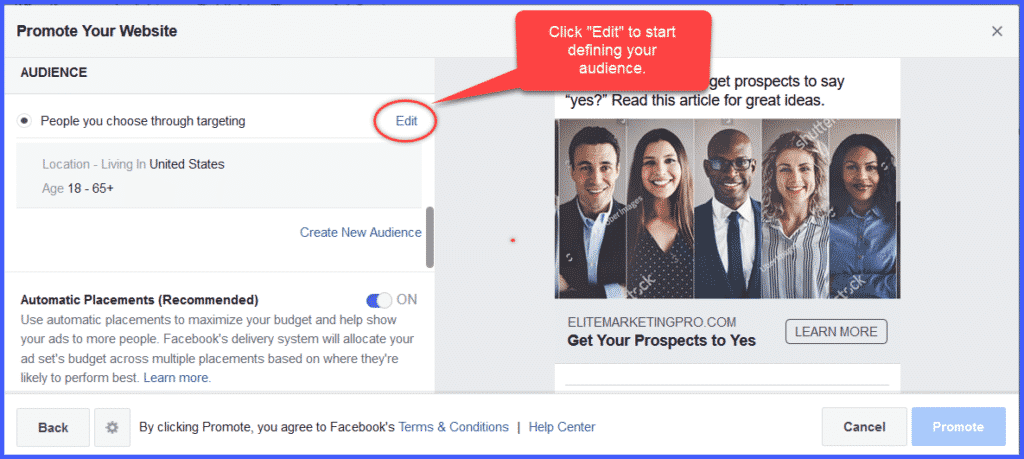
Now scroll down the popup until you see “AUDIENCE.”
While you can literally select everyone on Facebook, that’s not going to be the most effective use of your advertising budget.
Instead, target your specific audience by Location, Age, Gender, and Interests. Make sure that radio button is on.
To start, click Edit.
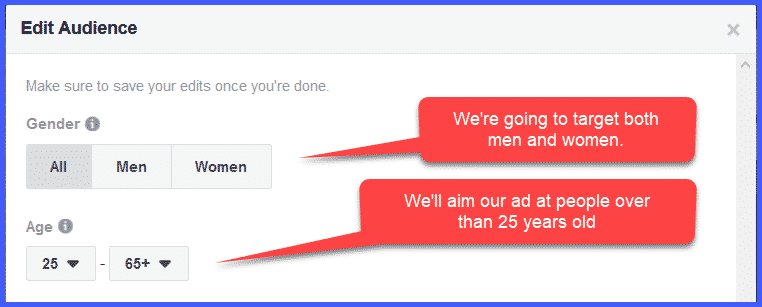
First, specify the gender and age you want to target.
We’ve left targeted Gender at “All.” Again, you can specifically target Men or Women.
For purposes of Network Marketing, it might be best to target an older audience, starting at, say 25. You can be as narrow and specific as you’d like.
Next, we’re going to want to target the audience that speaks our language.
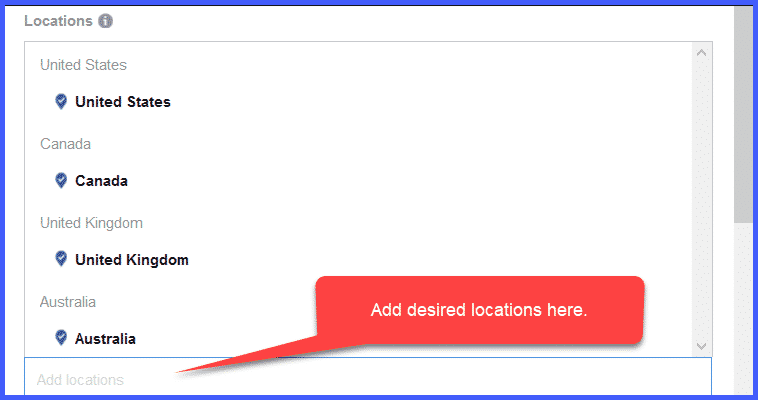
At the bottom of the Locations window you’ll see a place to enter the countries or locations you want to add. (You can even target specific counties, regions, or cities!)
In our example, we’ve included locations that represent the English-speaking world:
- United States
- Canada
- United Kingdom
- Australia
Now, it gets fun.
You’re going to want to narrow your target to people who are specifically interested in Network Marketing. As soon as you type in Network Marketing, a list of possibilities will drop down.
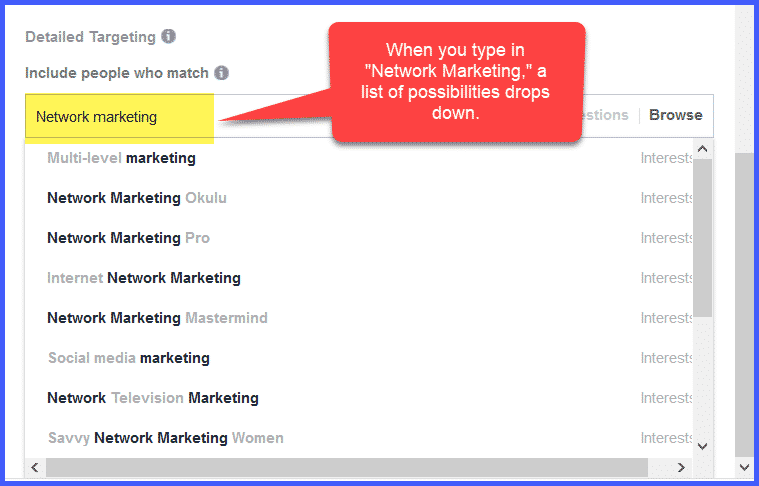
You can add specific groups, followers of particular marketers, or people interested in the kinds of products your company represents (for example, weight loss, health and fitness, anti-aging, or any other specific interest by simply typing it into the “Include people who match” box.
The more targeted your audience, the more likely they’ll be receptive to your ad.
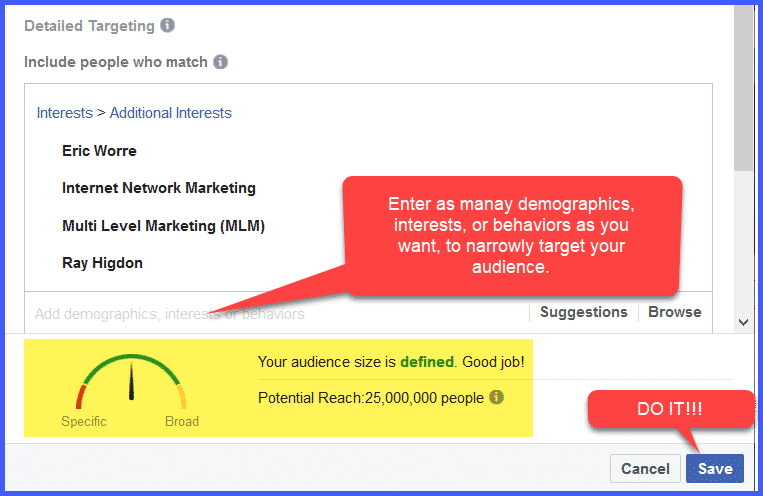
We’ve included Multi-Level Marketing (MLM), Ray Higdon, and Eric Worre, because those people are most like our target market.
Note that at the bottom of the window is a graph showing you the size of your target audience. Ours is right in the middle, between “Specific” and “Broad.” Ideally, you’d want to move the needle in the “Specific” direction by being as precise as you can in your targeting.
Once you’ve identified your Target Audience, don’t forget to CLICK “Save.”
Now, it’s time to determine where you want your ad displayed by choosing “Placements.”