

You could drive yourself crazy trying to figure out the exact time, day of the week, and how often to post on Facebook for maximum results.
Here’s a summary of 14 research studies that addressed this very topic.
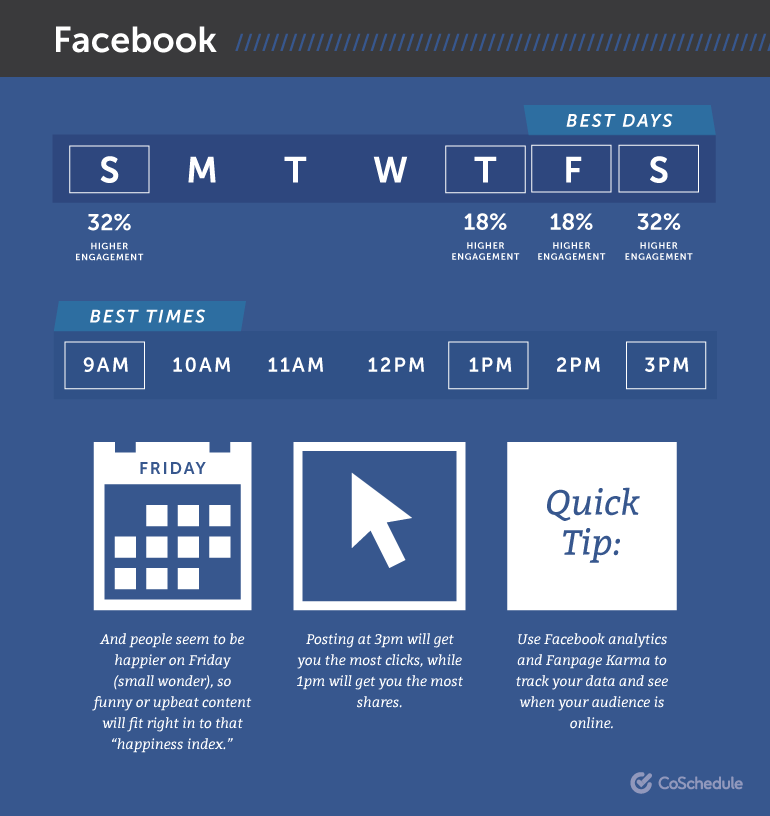
Research aside…
There are some seasoned, very successful marketers posting up to 10 times a day on Facebook.
There are others who only post once a day.
Posting too often can make you look spammy, especially if you’re “over promoting” or overtly selling.
And not posting often enough might not create the buzz, engagement and following you’re trying to build.
The truth is that until you gain experience, grow your following, and have actual results to analyze, you’re going to have to “wing it” – just take a leap of faith about the best times and how often to post.
If you’re just starting out, the key is to be consistent.
That means you have to create a plan and stick to it, no matter what.
Based on our own experience at EMP, we recommend the following:

After you’ve posted consistently for a few weeks, you’ll be able to analyze and adjust your frequency and timing to make sure you’re taking advantage of when your followers are active online.
If you find you’re getting good results, you can increase your frequency.
Create an “Editorial Calendar” to Plan and Keep Track of Your Posts
The most successful social media marketers create a kind of “editorial calendar” to plan and schedule their posts in advance.
If you set aside one day a week to plan and schedule all of your content for the week, you won’t have to scramble or struggle to come up with content ideas three times a day.
You can create your own calendar from a spreadsheet program like Excel, and use it to plan and keep track of your progress.
Include Day/Time/Content Type/Topic/Copy/Link and any other information you think you’ll need.
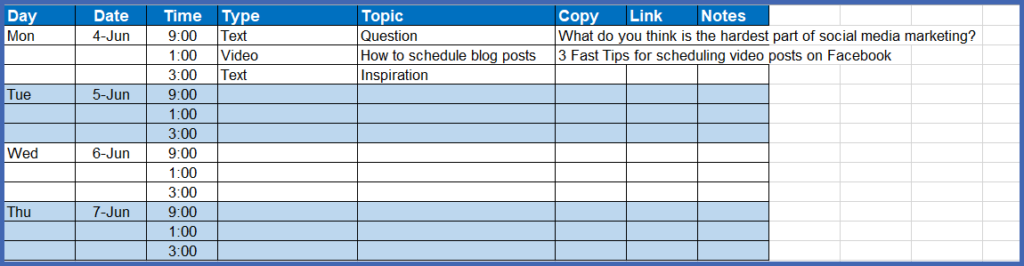
You might also want to include a column to indicate when the post is scheduled.
Semi-Automate the Planning and Scheduling Process
If you’re working from an editorial calendar, it should be a snap to use Facebook’s built-in post scheduler to schedule all of your posts for the week. Quite literally, it’s “set it—and forget it!”
If you’re really creative, you can plan and schedule your content days, weeks, or months in advance.
It’s very easy to use.
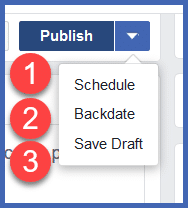
At the top of your newsfeed, enter your post – text, photo, video, link, audio – and when you’re ready, click the white triangle next to the Publish button at the bottom of the post area:
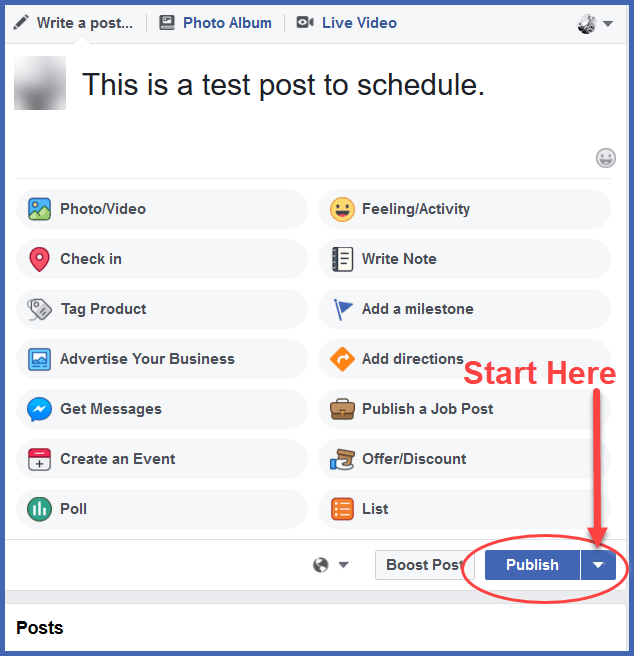
When you click the arrow, a small popup box appears, allowing you to schedule, backdate, or just save a draft of your post. Since we’re scheduling, click Schedule.
Click Schedule and this popup appears:
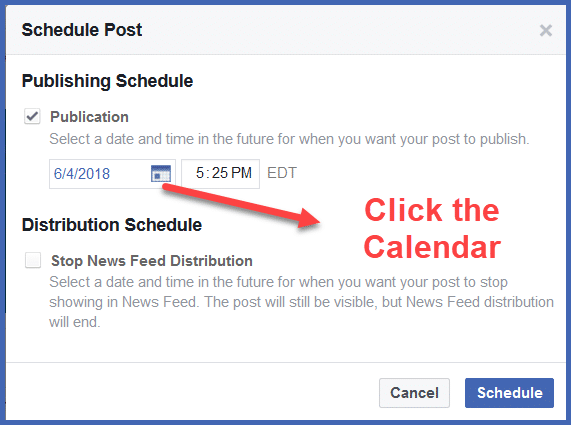
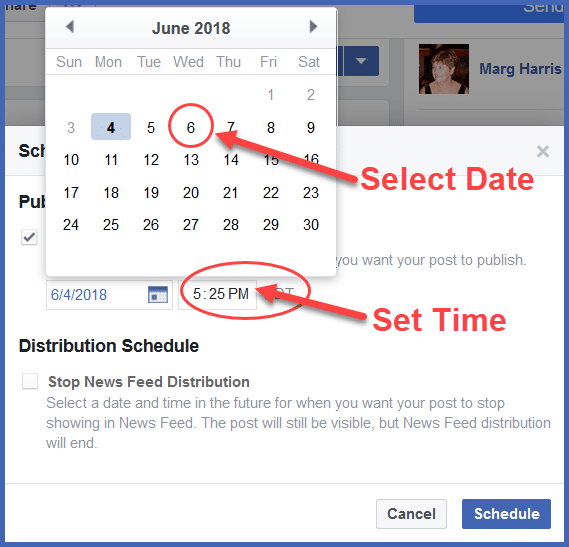
All you have to do is select a date and time, then click Schedule.
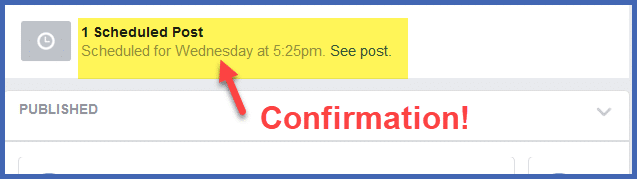
You’ll get a confirmation window showing when you’re your post will be published.
While it is very simple, Facebook doesn’t help you much when it comes to finding curated content or inspiring your creativity. You still have to create it all, plan it, and schedule it manually.
You’ll still have to find, subscribe to, and curate from your industry to see what’s hot and collect ideas about what to post – and that can eat up a whole lot of your time.
You can spend about $3.00 a month and use a service like PostPlanner to make your social media life insanely easy.
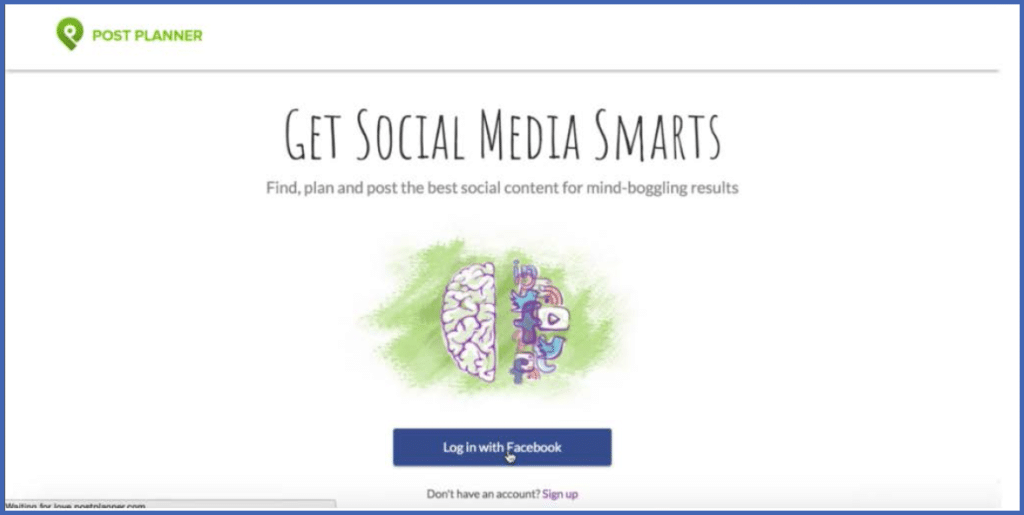
Starting with the fact that you can log in using your Facebook credentials, you just fill out a profile, enter details about your industry, (including your competitors and keywords), and PostPlanner will continuously pull photos and articles from those feeds.
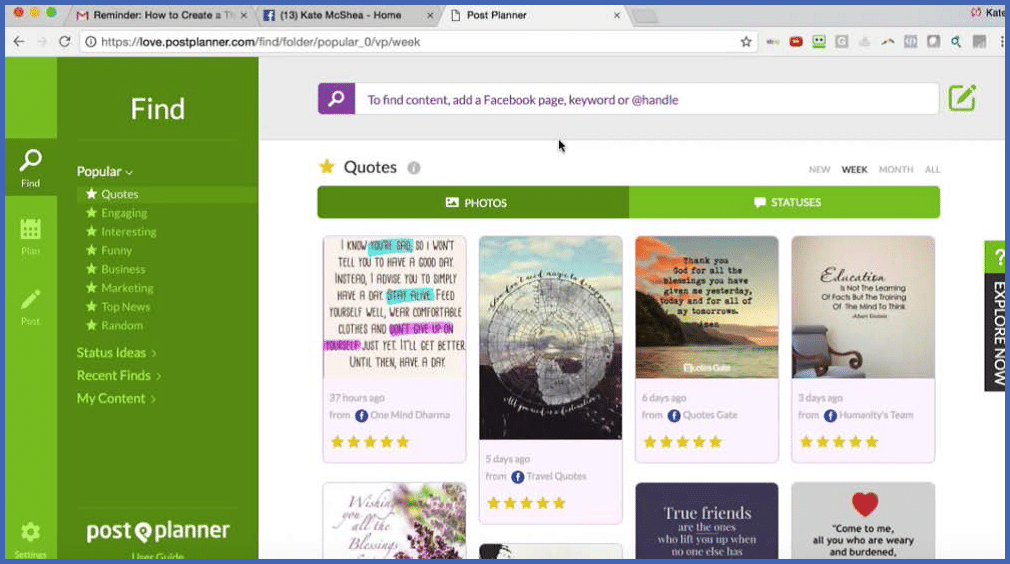
It rates all the top content it finds, based on engagement (likes, shares, comments), and you can see what’s working in your niche every time you log in – and cherry pick from the best to curate and share valuable content from others..
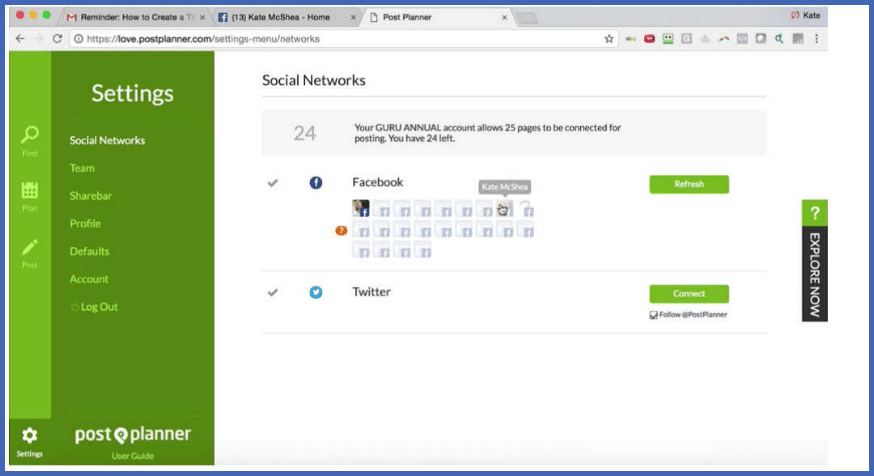
You can keep your editorial calendar and all your posts in one place, and the program will fill your calendar for you, including recycling your most popular content.
OK, if you’ve got your content created, planned, and scheduled…
…Now what?