

Once you’ve finished your Facebook Live, you’ll be tempted to criticize yourself and your performance. One word of advice?
Don’t.
Instead, visit the Insights link on your Page to see how your audience reacted. Here’s how you get there:
At the top of your Page, you’ll see this:

When you click on “Insights,” you’ll see this:
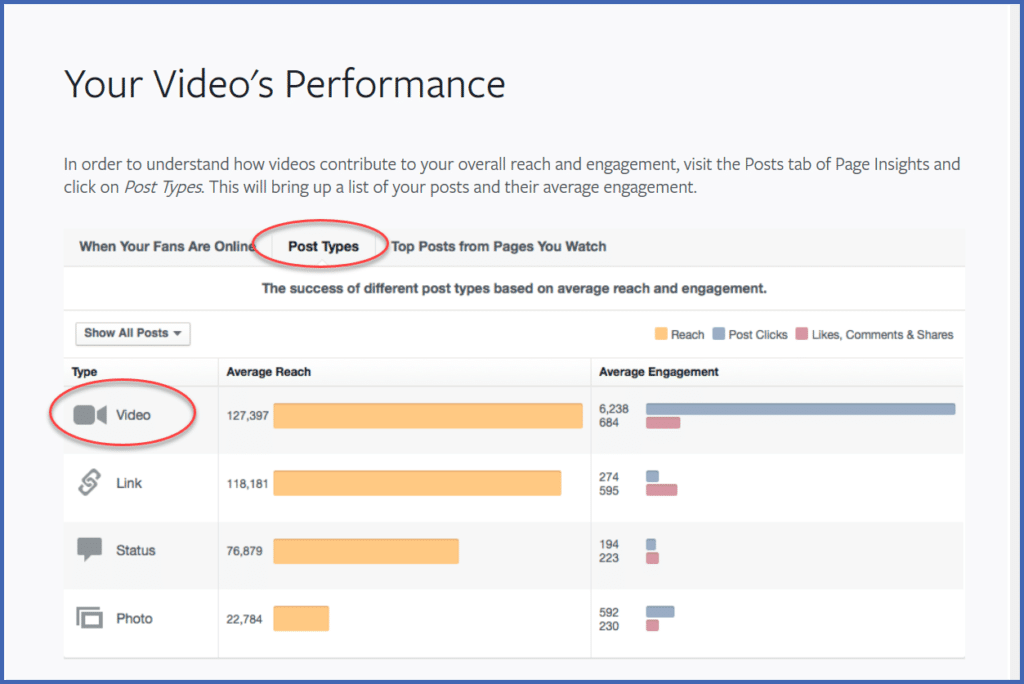
Click on “Post Types,” then click on “Video.”
Then click on your recent Facebook Live post and look at the metrics.
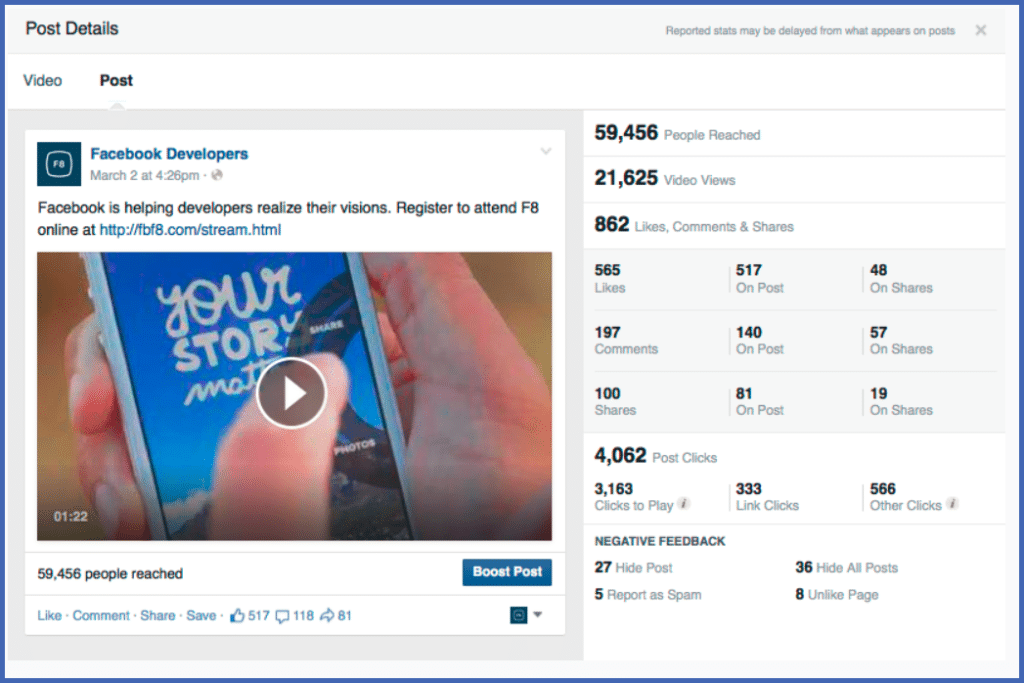
You’ll see a quick snapshot of your video’s reach and engagement – how many people you reached, how many of them watched, liked, commented, and shared your video.
If you like the results, you can choose to “boost” your posted video, so that you can reach more people. If you find negative feedback, you can use it to improve your next Facebook Live.
No matter what the metrics tell you, you’ve won.
You’ve gone live on Facebook.
The only thing to do now is learn, grow, and keep moving.