

Let’s start by making sure your page description and category are filled in the way you want them under the General tab.
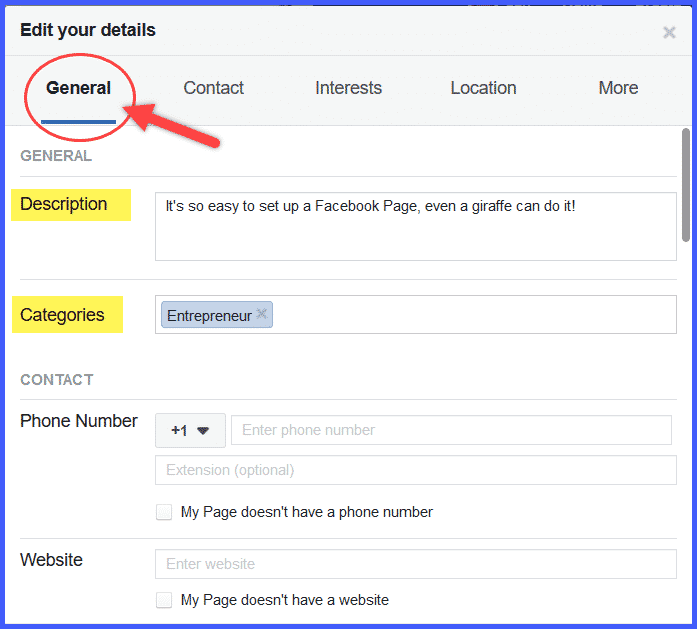
You can scroll through the popup from that same screen, or click the links across the top to jump right to the section you want to complete.
Let’s jump to the Contact screen by clicking the link:
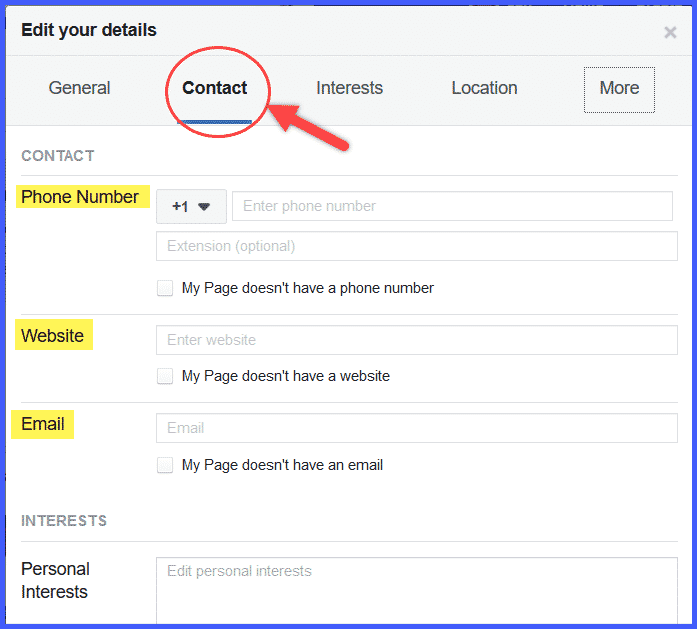
Just enter the phone number you want displayed on your business page, or tick the box if you don’t have one or don’t want to display it.
Enter the URL of the website you want displayed on your business page, or tick the box if you don’t have a website.
Enter the email you want displayed on your business page, or tick the box if you don’t have a related email or don’t want to display it.
Now, click Interests for the next screen:
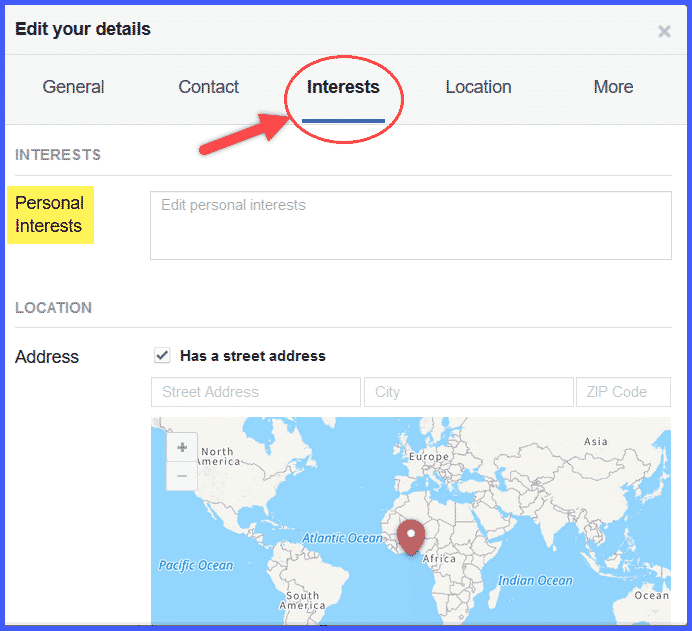
Here is where you tell the world about your interests in skydiving, martial arts, watercolor painting, motorcycling, stamp collecting, or bungee jumping, so people get to know you as a living, vital human (and not a giraffe).
Once you’ve completed it, click Location for the next screen:
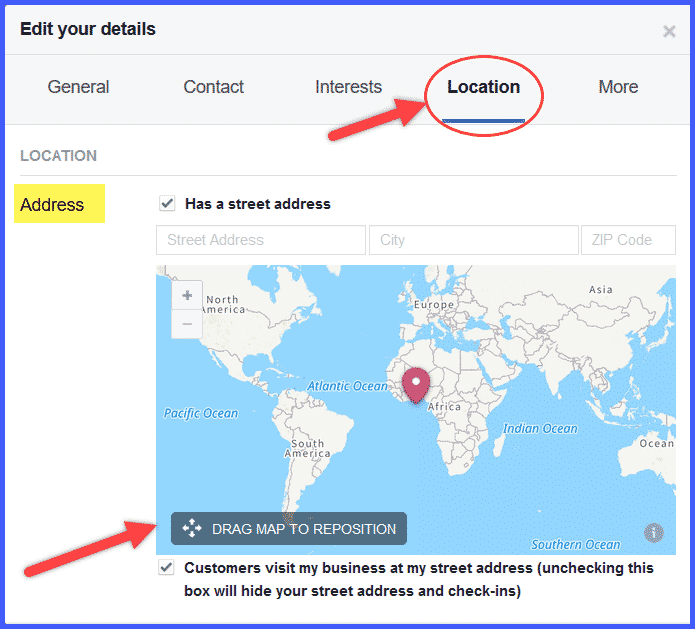
If you want people to visit you at your business location, go ahead and enter it.
If you’d prefer NOT to have walk-in traffic, leave it blank, or just put a city, state, or country. Your choice.
You can also drag the map to position it to your general location.
When you’re happy with this screen, click More.
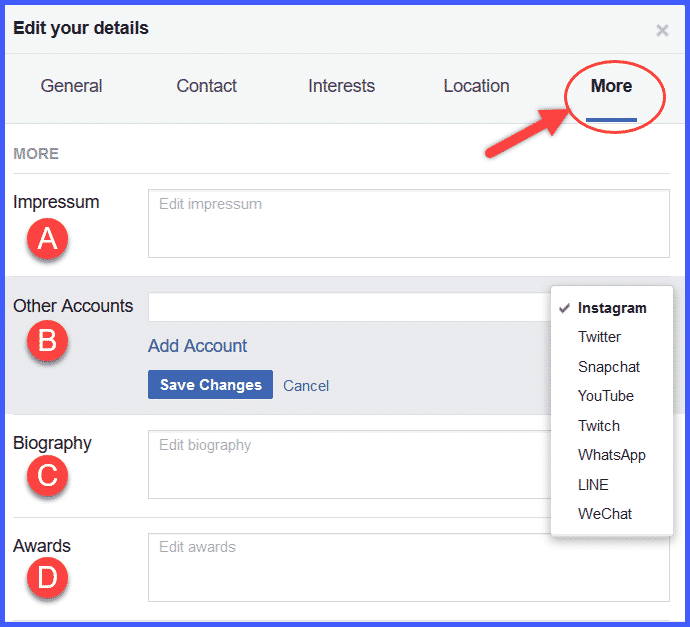
Let’s walk through these one at a time.
- Impressum
This section is optional, and MIGHT apply to you if you’re outside the United States, in countries such as Austria, Germany and Switzerland. You might be required by law to include a statement of ownership on your web presence.
- Other Accounts
Clicking Add Account in this window opens a popup and allows you to enter every single social media account you might have. When you click, for example, Instagram, you’ll be prompted to enter your Instagram URL; For YouTube, enter the URL for your channel, and so forth.
- Biography
If you want to write a biography of yourself, have at it, and enter it here.
- Awards
If it’s important to your credibility or brand, feel free to enter any specific awards you’ve won here. Otherwise, it’s not necessary.
You’ll have to scroll down through the popup to reach and edit even more information:
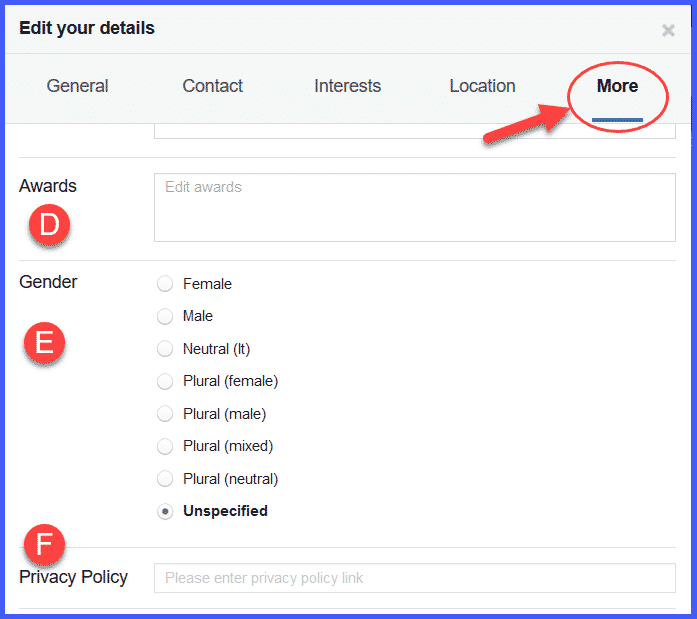
- Gender
Specify your gender, if you want to.
- Privacy Policy
Here’s where you’d display a link to the URL showing your business’s Privacy Policy.
But wait…there’s still more! Keep scrolling down to enter the last of the information:
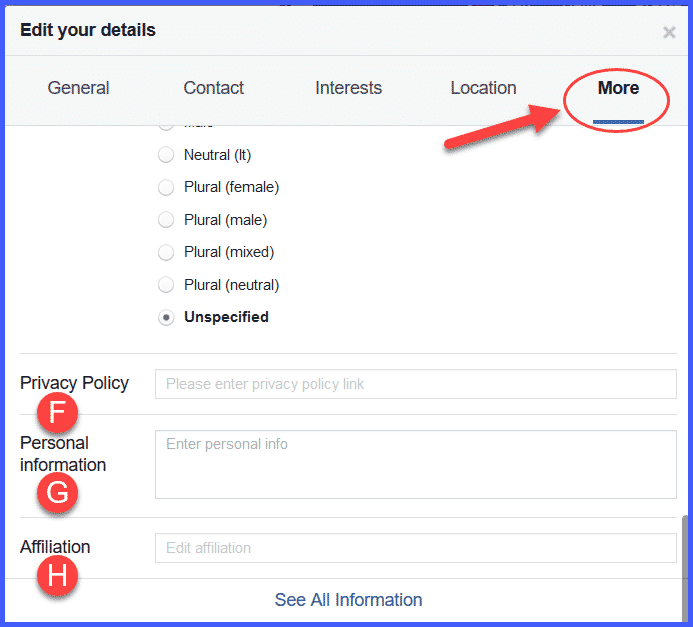
- Personal Information
Here’s where you can tell the unique story of you and your business. Consider it as the “About Us” or “Mission Statement” of your Page. This is where you can really connect with your audience by telling them who you are and why they should connect with you.
It might take a little longer to complete, so you can take your time composing it and complete it later.
- Affiliation
If you want to mention any professional groups, associations, or institutional affiliations, you can enter it here. It’s not necessary.
Once you’ve finished all the information, click See All Information at the bottom of the window and admire the details of your new page!
You’ll always be able to return to this page and edit or update the information if you need to.
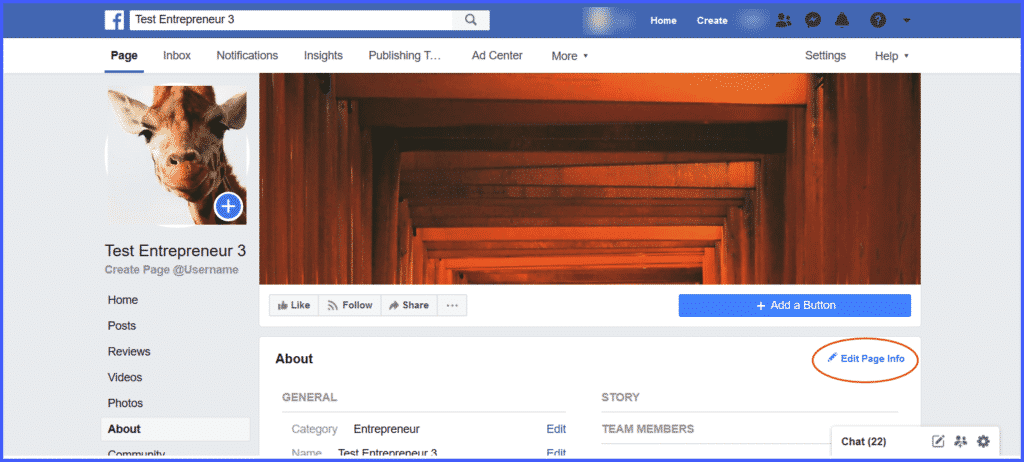
Before you start promoting your Facebook Page, make sure all of the information about you and your business is complete.
You’ll want to give your audience enough information to get to know, like, and trust you right from the start, so the more complete and honest you can be, the better!
You should have your business page in pretty good shape now. Let’s get rolling and add some content before we start inviting people to our page.