

The first screen you’ll see after you click “Create Page” will be this:
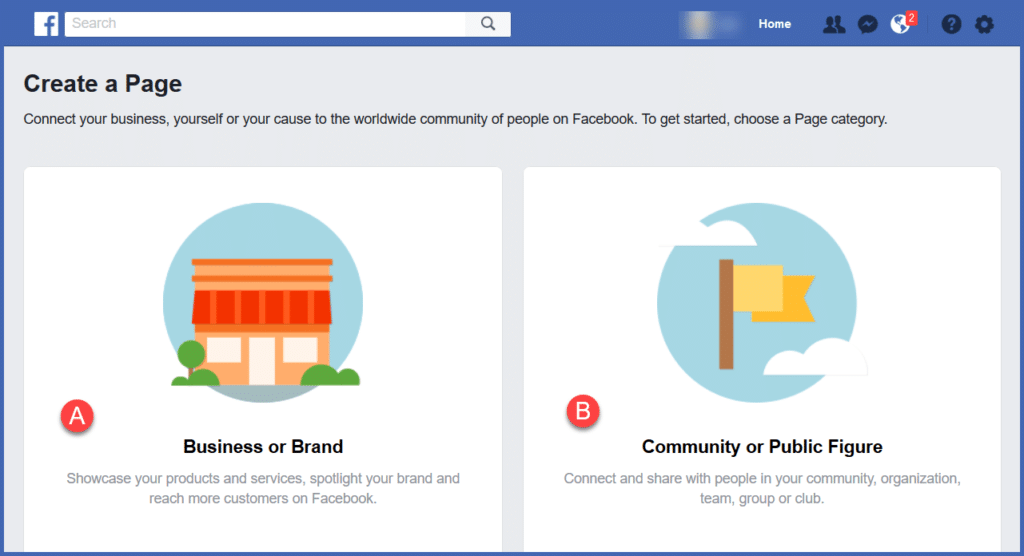
On this screen, you’ll have to make a choice. Each option has its own particular benefits.
Let’s explore the options:
Do you want your page to promote yourself as…
- A Business or Brand?
If so, you’ll be asked to reveal your physical address, office/business hours, and the type of business you’re in. Businesses like coffee shops, restaurants, hairdressers, or retail stores typically use this option. This option would work if you want to promote a single product or company brand. But it might be a bit limiting for our purposes.
- A Community or Public figure?
This is probably your best option, as you are not limited to a single product or company brand. You can promote your blog posts, your products or services, your events, and you won’t be limited to any particular location, organization, brand, or company – other than your own.
So, based on the options available, let’s proceed with Option B – Community or Public Figure.
Now it’s time to choose a category for our page.