

If you don’t already have a personal Facebook account, you must create one before you can create and administer your Page.
If you already have an account, you can skip this step and go right to Step 1.
Setting up your initial Facebook account is very simple.
Go to http://www.facebook.com.
You’ll see this:
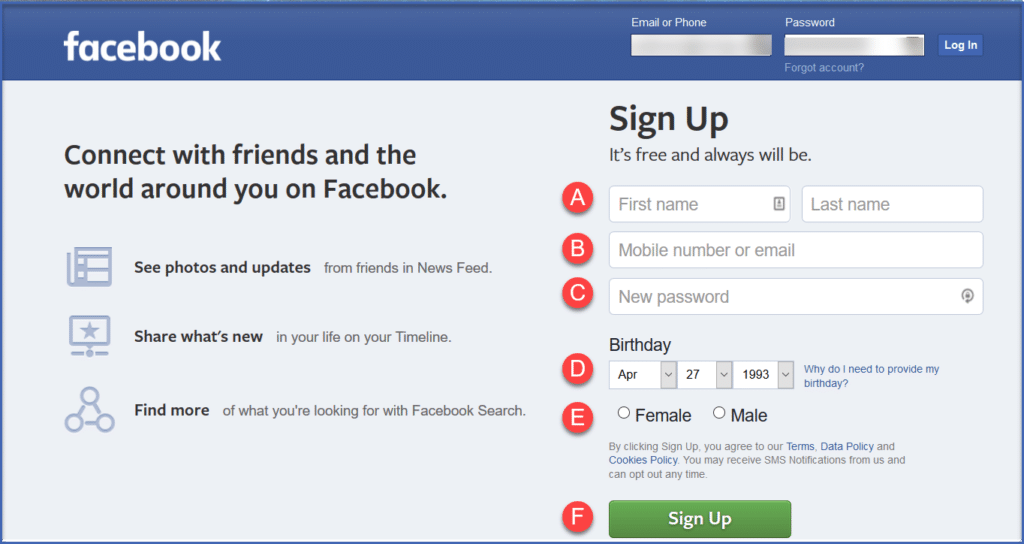
- Enter your first and last name in the spaces provided.
- Enter your email address or your cell phone number, which Facebook will use to verify your identity as the creator of the account.
- Create a password.
- Enter your birthday. (Once your account is set up, you can use “Settings” to choose who gets to see this information.)
- Enter your gender.
- Click “Sign Up.” (Clicking this also signals you agree to Facebook’s Terms of Service.)
Once you have an account, go on to Step 1.